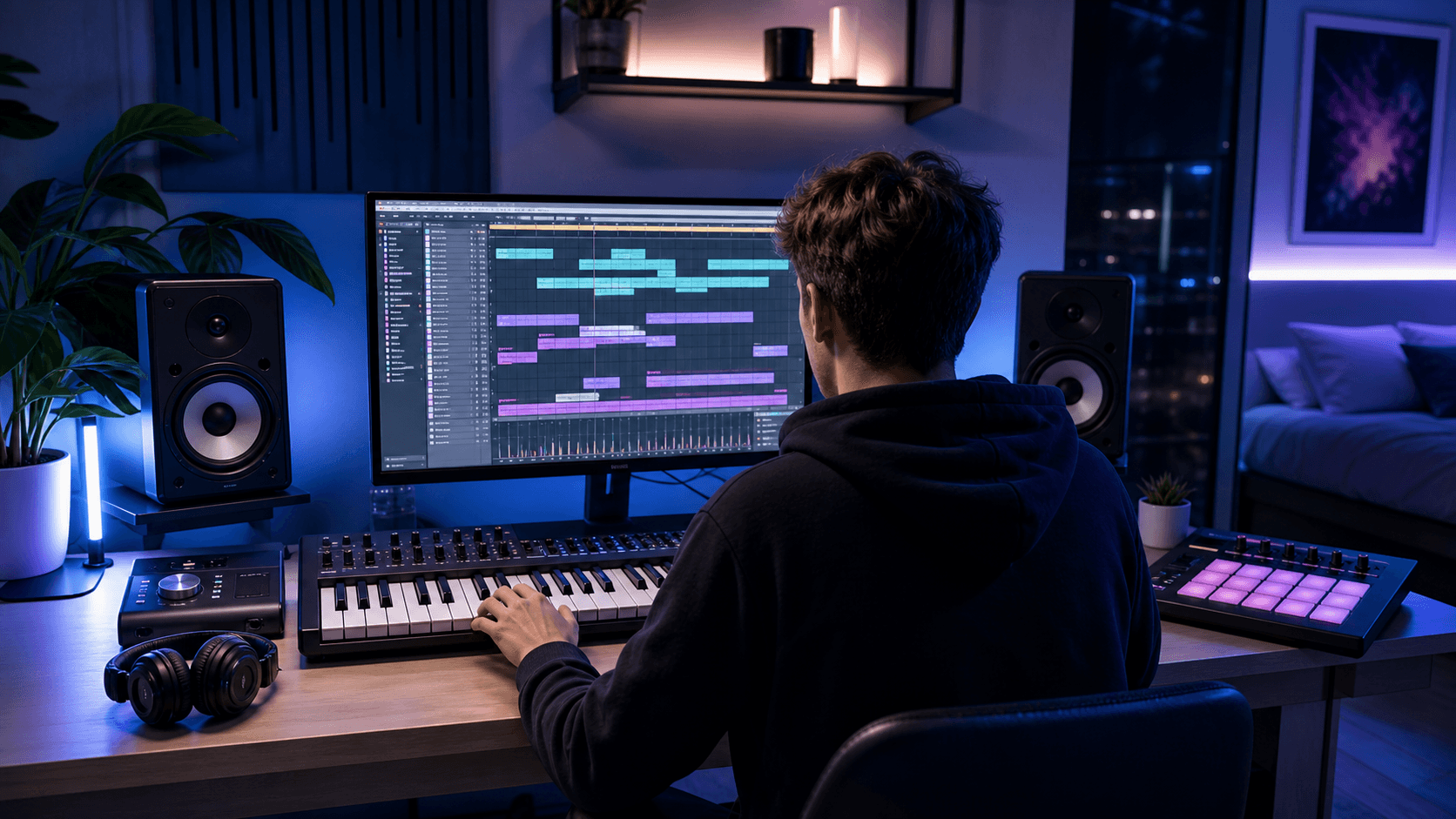
Music Production For Beginners
A Step-By-Step Masterclass For Making Your First Real Track
You do not need to be a genius to produce music.
You do not need a giant studio.
You do not need 100 plugins.
You do not need to understand every music theory concept before you start.
You need a simple process.
That is what this masterclass gives you.
The transcript this is based on teaches a beginner-friendly production system built around five core elements: drums, bass, mids, vocals, and effects. That formula is the backbone of this entire lesson.
By the end, you will know how to open a DAW, start a project, build drums, add bass, create musical layers, use vocals, add effects, automate energy, organize your session, and export a track idea that actually sounds like music.
Not a perfect song.
A real start.
That is the point.
The 5-Element Formula
Every finished-sounding song usually has five main ingredients:
Drums
Bass
Mids
Vocals
Effects
This formula keeps you from staring at a blank session wondering what to do next.
When you are lost, come back to the checklist.
Do I have drums?
Do I have bass?
Do I have mids?
Do I have vocals or a main melodic idea?
Do I have effects and transitions?
If the answer is yes, your track will probably start sounding like a real production.
Step 1
Set Up Your DAW Session
Your DAW is your music production workspace.
Examples:
Ableton Live
FL Studio
Logic Pro
Cubase
Studio One
Bitwig
The transcript uses Ableton, but the process works in any DAW.
If you are brand new and want to follow this workflow closely, Ableton is a strong beginner choice because it is fast for loops, samples, MIDI, automation, and electronic music arrangement.
What To Do First
Open a new project.
Then save it immediately.
Use a clean folder system:
Music Sessions
Track Name
Project File
Samples
Bounces
Exports
Do not leave projects scattered across your desktop.
That is beginner chaos.
Name Your Project
Use a simple name.
Example:
Beginner_Production_Masterclass_Track
Then save.
If your DAW has a “collect all and save” feature, use it. This keeps your samples and project files together so the session does not break later.
Beginner Rule
Before you make anything:
Save the project.
A lost project teaches pain faster than any tutorial.
Step 2
Choose A Starting Point
There are many ways to start a song.
You can start with:
Drums
Chords
Bassline
Vocal
Sample
Melody
Reference track
Acapella
For beginners, one of the easiest methods is starting with an acapella or vocal sample.
Why?
Because a vocal gives you:
Tempo
Emotion
Song structure
Key
Rhythm
A human element
You are not forced to invent everything from nothing.
Important Note About Vocals
Use vocals legally.
For practice, you can use acapellas to learn.
For release, make sure you have the rights.
If you use someone else’s vocal without permission and upload it commercially, you can run into copyright problems.
For beginner practice, the goal is simple:
Use the vocal as a guide.
Later, you can mute it and write your own vocal or lead melody over the instrumental you created.
Step 3
Set The BPM
BPM means beats per minute.
It tells your DAW how fast the song is.
Examples:
90 BPM = slower hip-hop / pop
115 BPM = mid-tempo dance / pop
124 BPM = house
128 BPM = festival EDM / progressive house
140 BPM = dubstep / trap / bass music
174 BPM = drum and bass
If you are using an acapella, find the BPM and set your project to match it.
You can often find the BPM by:
Checking the sample file name
Searching online
Using a BPM detection tool
Tapping it manually in your DAW
Matching it by ear with the metronome
Beginner Rule
If the vocal or sample sounds off-grid, your BPM is probably wrong.
Fix the timing before producing around it.
Do not build a full track around a badly aligned vocal.
Step 4
Turn On The Metronome
The metronome is the click that keeps time.
Turn it on and play your vocal or starting sample.
Check:
Does it land on the beat?
Does the phrase start where it should?
Does it feel locked to the grid?
Does it drift over time?
If it sounds aligned, move on.
If it feels messy, fix the timing first.
A badly timed starting point will make the entire production feel amateur.
Step 5
Build The Drums First
Drums are the rhythmic foundation.
In dance music, drums tell the body what to do.
Start simple.
You do not need a complicated beat.
You need a beat that works.
Basic Drum Elements
Start with:
Kick
Snare or clap
Hi-hat
Shaker or percussion
Optional extra clap/snare layer
That is enough.
Add The Kick
The kick is the heartbeat.
Place your kick on the grid.
For house or EDM, the most common pattern is four-on-the-floor:
Kick on every beat:
1 — 2 — 3 — 4
For pop or mid-tempo dance, the kick pattern may be more syncopated.
Do not overcomplicate it.
Your first goal is rhythm.
Add The Snare Or Clap
The snare or clap usually gives the groove a backbeat.
Common placement:
Beat 2
Beat 4
That means:
Kick — Clap — Kick — Clap
This instantly makes the beat feel more like music.
Layering A Snare Or Clap
Sometimes one snare is not enough.
You can layer:
One snare for punch
One clap for width
One short noise layer for texture
But be careful.
Layering is not stacking random sounds.
Layering means combining sounds that each do a job.
If two sounds are fighting, remove one.
Add A Shaker Or Hat
Now add movement.
Use:
Closed hat
Shaker
Top loop
Percussion tick
Offbeat hat
This gives the beat life.
If your drums feel stiff, use small variations:
Change velocity
Move a few hits slightly
Add or remove a hit at the end of every 2 or 4 bars
Use a shaker to create bounce
Beginner Drum Rule
Do not use ten drum sounds when four will do.
A clean drum groove beats a cluttered one.
Step 6
Make The Drums Feel Better
Once your drum pattern works, add character.
This can mean:
Light distortion
Saturation
Compression
EQ
Bitcrushing
Drum bus processing
Reverb on claps
Small room sound
In the transcript, the producer groups drum elements together and adds a gritty effect to make them feel dirtier and cooler. That is a good beginner move when used lightly.
Group Your Drums
Put related drum tracks into a drum group.
Example:
Kick
Clap
Snare
Shaker
Hat
Then process the group lightly.
This makes the drums feel like one unit.
Do Not Overdo It
Drum processing should make the groove feel better.
If the drums get harsh, noisy, or weak, back off.
The best beginner move is simple:
Make it slightly better.
Not destroyed.
Step 7
Add The Bass
After drums, add bass.
The bass and drums together are called the rhythm section.
This is the engine of the track.
A lot of beginner productions sound weak because the bass is missing, too quiet, too messy, or fighting the kick.
Use MIDI For Bass
MIDI is note information.
It tells a virtual instrument what to play.
In simple terms:
Audio sample = recorded sound
MIDI = notes controlling an instrument
To make a bassline:
Create a MIDI track
Load a bass instrument
Draw notes in the piano roll
Play it with the drums
Adjust the rhythm
Start With Root Notes
If you know the key or chord progression, start the bass on the root notes.
Example:
If your chord is F minor, use F in the bass.
If the chord changes to A-flat major, use A-flat in the bass.
This keeps the bass connected to the song.
Keep The Bass Simple
A beginner bassline does not need to be flashy.
Start with:
One note per bar
One note every two bars
Simple rhythmic pulses
Root notes only
Then add movement later.
Beginner Bass Rule
Your bass should support the track.
It should not fight the kick, vocal, or chords.
Step 8
Use Sidechain Compression
This is one of the most important production techniques in EDM.
Sidechain compression makes one sound duck when another sound plays.
The most common use:
The bass ducks when the kick hits.
Why?
Because the kick and bass both live in the low end.
If they hit at the same time without control, they fight.
That makes the mix muddy.
Simple Sidechain Setup
Put a compressor on the bass.
Set the sidechain input to the kick.
Now when the kick hits, the bass ducks slightly.
This creates space.
The result:
Cleaner kick
Tighter bass
More bounce
More professional low end
What To Listen For
Solo the bass with sidechain on.
You should hear it dip slightly when the kick hits.
If it ducks too much, it will sound like a pumping effect.
That can be cool in EDM, but do it on purpose.
Beginner Rule
If your kick and bass are fighting, sidechain is one of the first tools to try.
Step 9
Add Mids
Mids are the musical body of the track.
This includes:
Piano
Guitar
Synths
Pads
Plucks
Strings
Bells
Chords
Arps
Stabs
Mids make the track feel like a song, not just drums and bass.
Start With One Mid-Range Sound
Choose one musical sound.
Examples:
Pluck
Piano
Pad
Bell
Synth chord
Guitar loop
Draw a simple pattern.
Do not worry about being advanced.
A good beginner part can be very simple.
Layer Carefully
Once your first mid sound works, duplicate the MIDI and try a second sound.
Example:
Bell layer
Pluck layer
Guitar layer
Pad layer
The transcript demonstrates this by layering a bell-like sound with another instrument and grouping them together.
Why Layer?
Layering can make a sound feel:
Wider
Fuller
More unique
More textured
More emotional
But bad layering creates mud.
Layering Rule
Every layer needs a role.
Example:
Layer 1 = attack
Layer 2 = body
Layer 3 = width
Layer 4 = air
If two layers do the same thing, remove one.
Step 10
Add Chords Or A Pad
A pad is a soft sustained sound.
Pads are useful because they fill emotional space.
They work well in:
Intros
Breakdowns
Choruses
Builds
Ambient sections
What A Pad Does
A pad can make the track feel:
Bigger
Wider
Softer
More emotional
More cinematic
In beginner production, a pad is often the easiest way to make a section feel fuller.
Draw Simple Chords
You do not need complex theory.
Start with chords that match your key.
If you are not sure what notes to use, stay inside the scale.
Keep the chords simple.
Then adjust the notes until they feel right.
EQ The Pad
Pads often create mud.
Use EQ to remove low frequencies that interfere with the bass.
Beginner move:
Cut some low end from the pad.
Let the bass own the bottom.
Let the pad live in the mids and highs.
Step 11
Add Effects
Effects are the glue, movement, and drama.
They help sections feel connected.
Common production effects include:
White noise
Risers
Impacts
Downlifters
Reverb
Delay
Vocal textures
Reverse sounds
Ambient noise
Sweeps
Add White Noise For Energy
White noise is common in EDM because it creates lift.
Use it when a section needs to feel bigger.
Example:
Add white noise at the start of the chorus or drop.
Then EQ out the lows so it does not muddy the mix.
Add Impacts
An impact helps a new section hit harder.
Use impacts at:
Drop starts
Chorus starts
Breakdown entrances
Big transitions
Add Reverse Sounds
Reverse cymbals, reverse vocals, and reverse FX help pull the listener into the next section.
Use them before:
Drop
Chorus
Vocal entrance
Buildup
Transition
Beginner FX Rule
Effects should support the arrangement.
They should not cover up a weak song.
Step 12
Use Vocal Textures
Vocals are not only lead singing.
You can use vocals as:
Main vocal
Acapella
Vocal chop
Vocal pad
Scream texture
Choir layer
Reverse vocal
Background atmosphere
In the transcript, the producer uses vocal textures and reverb to create more atmosphere and impact around the chorus.
Make Vocal Textures Sit In The Mix
Use:
EQ
Reverb
Delay
Volume
Filtering
Panning
A vocal texture does not always need to be understood.
Sometimes it just needs to add energy.
Simple Vocal Texture Chain
Try this:
EQ out low end
Reduce harsh highs if needed
Add big reverb
Blend quietly under the track
This can turn a random vocal sound into atmosphere.
Step 13
Use Automation
Automation means changing something over time.
This is where beginner tracks start sounding more professional.
Instead of keeping every sound the same for the whole song, automation creates movement.
You can automate:
Volume
Filter cutoff
Reverb amount
Delay amount
Distortion
Panning
Pitch
Width
Send effects
The transcript highlights automation as a pro production tool for dynamics, especially when increasing distortion or tone into a bigger section.
Simple Automation Examples
Build-Up Filter
Start with a dark sound.
Open the filter slowly before the chorus or drop.
This creates tension.
More Reverb Before A Drop
Add more reverb before the drop.
Then cut it off when the drop hits.
This creates contrast.
Distortion In The Chorus
Increase distortion or saturation slightly when the chorus starts.
This makes the section feel bigger.
White Noise Rise
Automate white noise volume upward into a drop.
Classic EDM move.
Beginner Automation Rule
If a section feels flat, automate something.
Movement creates energy.
Step 14
Organize Your Session
A messy session makes production harder.
Organize as you go.
Group tracks into:
Drums
Bass
Mids
Vocals
Effects
This matches the 5-element formula.
Why Organization Matters
Organized sessions help you:
Mix faster
Find problems faster
Arrange faster
Export stems later
Stay focused
Avoid overwhelm
Color Code If You Want
Example:
Drums = red
Bass = blue
Mids = green
Vocals = yellow
Effects = purple
The exact colors do not matter.
The organization does.
Beginner Rule
If you cannot find the sound, you cannot finish the track.
Step 15
Build A Section
At this point, you should have:
Drums
Bass
Mids
Vocal or main idea
Effects
Now create a section.
This could be:
Verse
Chorus
Drop
Breakdown
Intro
For beginners, build one strong chorus or drop first.
That gives you the main energy of the track.
What A Strong Section Needs
A strong section usually has:
Drums for rhythm
Bass for weight
Mids for music
Vocal or hook for identity
Effects for impact
If it feels empty, check which element is missing.
If it feels cluttered, remove something.
Step 16
Make The Chorus Or Drop Bigger
To make a section feel bigger, do not just turn everything up.
Use contrast.
Try:
Add white noise
Add a pad
Add vocal texture
Add impact
Add wider chords
Add distortion
Add extra percussion
Open a filter
Add a higher octave layer
Remove elements right before the section hits
The drop feels bigger when the section before it is smaller.
That is the secret.
Bigness is relative.
Step 17
Do A Light Mix
Do not overthink mixing yet.
Beginner mixing starts with three things:
Volume
EQ
Space
Volume
Balance the levels.
Ask:
Is the vocal too loud?
Is the bass too loud?
Is the kick clear?
Are the hats too sharp?
Are the effects too loud?
Volume fixes more than beginners think.
EQ
Use EQ to remove unwanted frequencies.
Common beginner moves:
Remove low end from pads
Remove low end from vocals
Remove low end from FX
Tame harsh highs
Make space for kick and bass
Space
Use reverb and delay carefully.
Too much reverb makes the track blurry.
Use reverb for emotion.
Use delay for movement.
Do not drown everything.
Step 18
Use Stock Sounds First
You can make real music with stock sounds.
Do not use “I need better plugins” as an excuse.
The transcript specifically shows that a beginner can build a track with stock Ableton sounds, basic samples, MIDI, and simple effects.
That said, better tools can help once you know what you need.
If you are ready to add better instruments, effects, synths, EQs, compressors, saturation tools, or creative plugins, browse Plugin Boutique after you identify the actual problem in your track.
Do not shop randomly.
Search for the fix.
Examples:
Need better bass? Look for bass instruments or saturation.
Need cleaner mix? Look for EQ, metering, or reference tools.
Need better movement? Look for delay, reverb, modulation, or automation-friendly effects.
Need stronger drops? Look for sidechain, transient shaping, saturation, or limiting tools.
Tool buying should solve a production problem.
Not become procrastination.
Step 19
Find Better Samples When Stock Sounds Are Not Enough
Samples can move a beginner forward fast.
You can use samples for:
Kicks
Snares
Claps
Hats
Shakers
Percussion
Vocal chops
Atmospheres
White noise
Risers
Impacts
Loops
When you need stronger samples, use Loopcloud with specific searches.
Do not search like a beginner.
Bad search:
“EDM”
Better searches:
“melodic house kick”
“tech house percussion loop”
“future bass vocal chop”
“progressive house riser”
“festival EDM impact”
“deep house shaker”
“ambient vocal texture”
Specific searches save time.
Random browsing kills songs.
Step 20
Finish A Simple Loop First
Your first goal is not a full song.
Your first goal is one strong 8 or 16-bar section.
That section should include:
Drums
Bass
Mids
Vocal or hook
Effects
Once that section works, you can arrange it into a full song later.
Do not try to build a six-minute masterpiece on day one.
Make one strong section.
Then build from there.
Step 21
Turn The Loop Into A Song
Once your main section works, create arrangement blocks.
A simple EDM/pop arrangement:
Intro
Verse or low-energy section
Pre-chorus or buildup
Chorus or drop
Verse 2
Buildup 2
Final chorus or drop
Outro
A simple dance arrangement:
DJ intro
Groove intro
Breakdown
Buildup
Drop
Second breakdown
Second buildup
Second drop
Outro
How To Arrange From Your Main Loop
Duplicate your main section across the timeline.
Then remove elements.
Example:
Intro
Use:
Kick
Hat
Light percussion
Small FX
Verse / Low Section
Use:
Vocal
Light drums
Bass maybe reduced
Simple mid layer
Buildup
Use:
Vocal
Snare build
Riser
Filter automation
Tension FX
Chorus / Drop
Use:
Full drums
Bass
Mids
Vocal or hook
White noise
Impact
Outro
Remove elements gradually.
This is how songs are built.
Not by magic.
By adding and subtracting energy.
Step 22
Export Your First Bounce
Once your idea sounds decent, export it.
Do not wait until it is perfect.
Export a bounce so you can listen outside the DAW.
Listen on:
Earbuds
Car speakers
Phone speaker
Bluetooth speaker
Laptop speakers
Write down what is wrong.
Only the top 5 issues.
Example:
Bass too loud
Vocal too quiet
Drums too dry
Chorus not big enough
Highs too harsh
Then fix those.
Do not create an endless list.
Endless lists kill beginner momentum.
Step 23
Your First Track Checklist
Before you call your first beginner production complete, check this:
Drums
Kick is clear
Snare or clap is placed well
Hat or shaker adds movement
Drum groove loops cleanly
Drums are not painfully loud
Bass
Bass supports the track
Bass works with the kick
Sidechain is working if needed
Low end is not muddy
Bass is not too loud
Mids
At least one musical layer exists
Chords or melodic part support the emotion
Pad or pluck fits the track
Mids are not fighting the vocal
Low end is cleaned from non-bass sounds
Vocals / Hook
Vocal or main hook is clear
Timing is correct
It fits the key or mood
It is not buried
It is not painfully loud
Effects
White noise or impact supports the chorus/drop
Reverb is not washing out the mix
Delay is controlled
FX are not louder than the song
Transitions make sections feel connected
Session
Tracks are organized
Project is saved
Samples are collected
Groups are labeled
Bounce is exported
Beginner Production Workflow
Use this every time.
1. Open your DAW
Start a new session.
Save it.
2. Pick a starting point
Use a vocal, chord loop, drum groove, sample, or reference.
3. Set BPM
Match the tempo to your idea.
4. Build drums
Kick, clap/snare, hat, shaker.
5. Add bass
Use MIDI.
Start simple.
Make it work with the kick.
6. Add mids
Pluck, pad, piano, synth, guitar, bells, or chords.
7. Add vocal or hook
Use a vocal, vocal chop, lead melody, or main musical idea.
8. Add effects
White noise, risers, impacts, reverb, delay, atmosphere.
9. Automate energy
Make sections grow and change.
10. Organize
Group drums, bass, mids, vocals, and effects.
11. Light mix
Volume, EQ, space.
12. Bounce
Export and listen outside the DAW.
13. Fix top 5 problems
Then move forward.
The Big Lesson
Music production is not magic.
It is a sequence.
Drums give rhythm.
Bass gives weight.
Mids give music.
Vocals give identity.
Effects give movement.
That is the foundation.
Your first songs will not be perfect.
They do not need to be.
You get better by making tracks, not by thinking about making tracks.
Open the DAW.
Save the session.
Build the drums.
Add the bass.
Add the mids.
Add the vocal or hook.
Add effects.
Automate movement.
Export the bounce.
Then do it again.
Stop waiting until you feel ready.
Start making music.
Next Level
If this lesson exposes the gap between what you know and what you can execute, that is the moment to study with better source material. FaderPro is the natural next step when you want artist-led coaching, sharper production courses, and a bigger level up than another random tutorial can give you.